

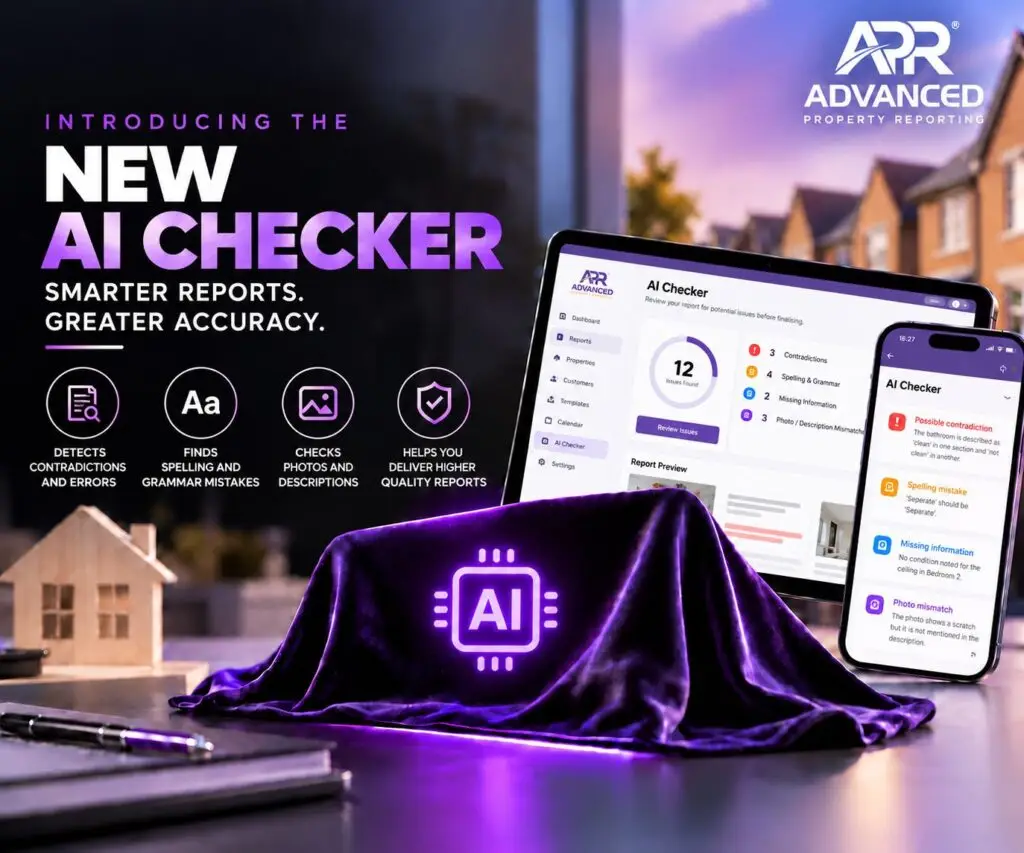
Spend less time checking reports and more time running your business with the APR AI Checker, designed to identify potential errors, missing information and contradictions before your reports reach the client.
The challenge of checking property reports
Producing accurate, professional property reports is essential for any inventory company. Whether you’re completing inventories, check-outs or property inspections, every report needs to be thorough, consistent and free from avoidable mistakes.
At APR, we understand that checking reports is one of the most time-consuming parts of the process. Even when experienced inventory clerks check their own work, things can still be missed. A missing alarm date, a photograph that hasn’t been included, a spelling mistake or a contradiction between two sections can easily slip through.
These issues become even more challenging when dealing with large properties, particularly HMOs with multiple bedrooms, bathrooms and communal areas. The bigger the report, the longer it can take to review every section carefully.
And when you’re completing hundreds of reports each month, those minutes quickly add up.
Why we developed the APR AI Checker
At APR, we’re always looking for ways to help property professionals work more efficiently without compromising on report quality.
The idea behind the AI Checker came from our own experience at Ivy Inventory. As the owner, checking reports before they reach clients is an important part of my role. On average, each report takes around 10 minutes to review.
During August, when Ivy Inventory completed 405 reports, that amounted to more than 67 hours spent checking reports alone.
That’s time that could be spent supporting the team, developing the business and improving the service we provide to our clients.
We wanted to find a better way. Rather than simply asking inventory clerks to work faster, we wanted to make the checking process smarter.
The result is the APR AI Checker, a feature designed to reduce manual checking, highlight potential issues and give users more confidence in their reports.
How does the APR AI Checker work?
We’ve kept the process simple so it fits naturally into your existing workflow.
- Complete your report as normal. Create your inventory, check-out or inspection report using APR, following your usual process.
- Run the AI Checker. Once your report is ready, click the AI Checker button. APR will analyse the report and generate a list of potential issues and discrepancies for you to review.
- Review the flagged issues. Work through the list one issue at a time. You can investigate each finding and decide whether to resolve it or ignore it.
- Go straight to the relevant section. Instead of searching through pages of descriptions and photographs, simply click the relevant button to jump directly to the item that needs attention.
This makes the process quicker and more convenient, particularly when working with lengthy reports covering large properties.
What can the AI Checker help identify?
The AI Checker is designed to highlight potential problems that might otherwise be overlooked during a manual review. Depending on the report, this can include:
- Missing information: Highlighting details that may have been omitted.
- Potential contradictions: Identifying inconsistencies between different sections of a report.
- Spelling and wording issues: Flagging errors that could affect the professionalism of your report.
- Items requiring further attention: Drawing attention to details that may need another look before the report is finalised.
The aim isn’t to replace the experience or judgement of an inventory clerk. It’s to provide an additional layer of support, helping users identify issues more efficiently. Users remain in control of the final report and decide which findings require action.
We’ve been trialling the AI Checker at Ivy Inventory, and the results have been extremely encouraging.
Reducing the time spent manually reviewing reports gives us more opportunity to focus on other areas of the business, while still taking report quality seriously.
For inventory companies completing high volumes of reports, even a small reduction in checking time can make a significant difference over the course of a month.
It can also make reviewing larger, more complex reports less daunting, helping teams work through potential issues without having to search manually through every section.
Most importantly, it supports the quality-control process rather than removing it. The AI Checker helps identify potential problems, but professional judgement and a final review remain essential.
Discover a smarter way to produce property reports
At APR, we believe property reporting software should do more than simply create reports. It should help you run your business more efficiently, reduce unnecessary administration and make everyday tasks easier.
The AI Checker is another step towards that goal, combining practical industry experience with AI technology to tackle a challenge that inventory professionals know all too well.
Less time checking. Fewer overlooked issues. More time to focus on what matters.
Want to see how the APR AI Checker could improve your reporting process? Book a demo of Advanced Property Reporting and discover how APR can help your business work smarter.